VCF Automation Deployment Fails Bootstrapping the VCF Services Runtime (VSP)
Quick one from the lab this week. I redeployed the lab after some physical changes and choose to deploy without VCF Automation and deploy as a component after the bring up.
The deployment failed while bootstrapping the VCF services runtime cluster, with the following in the UI:

An internal system error occurred while bootstrapping the VCF services runtime cluster with FQDN 'tshc-vsp02.tsh.cloud': Error occurred during querying System Images "Get INSTALL Image" API for VSP, 9.1.0.0200.25555874 version.
Failed to bootstrap VCF services runtime of type 'CONSUMPTION'.
This didn’t make sense to me to start with as I had downloaded the Automation binary I needed and there was a VCF Services Runtime Template already in my inventory from the VMSP Cluster already running VCF Operations etc.
So I next took a look in /var/log/vmware/vcf/domainmanagerdomainmanager.log on the SDDC Manager to see if I could find anything else.
Image Path for productType VSP image type INSTALL with version 9.1.0.0200.25555874 is empty
COULD_NOT_GET_COMPONENT_OVA_PATH Error occurred during querying System Images "Get INSTALL Image" API for VSP, 9.1.0.0200.25555874 version
I did find something. A matching error and it finally clicked for me, its looking for a newer version of the VCF Service Runtime Template to match with the newer patch version of VCF Automation not the Automation binary! Really helps to read the error properly the first time around…
So to check the version on SDDC Manager, I ran this to see which images were available. Not the one I needed, but the ‘base’ version I deployed.
curl -X GET "http://localhost/lcm/images?productType=VSP"Which came back with this:
[
    {
        "productType": "VSP",
        "version": "9.1.0.0.25370367",
        "imageType": "INSTALL",
        "imagePath": "/nfs/vmware/vcf/nfs-mount/base-install-images/vsp_folder",
        "size": 31261875,
        "checksum": "ac9a068d16644a1ec201460abf40cf5b2b186d2276ae67818c6aa8e2e91ec555"
    }
]
LCM only had the base VSP 9.1.0.0.25370367, which would have worked with VCF Automation version 9.1.0.0.25370929,but as I was attempting to deploy VCF Automation version 9.1.0.0200.25556825, it needed the newer VSP,9.1.0.0200.25555874!
So in Bundle Management I located the required “VCF services runtime” and downloaded it!
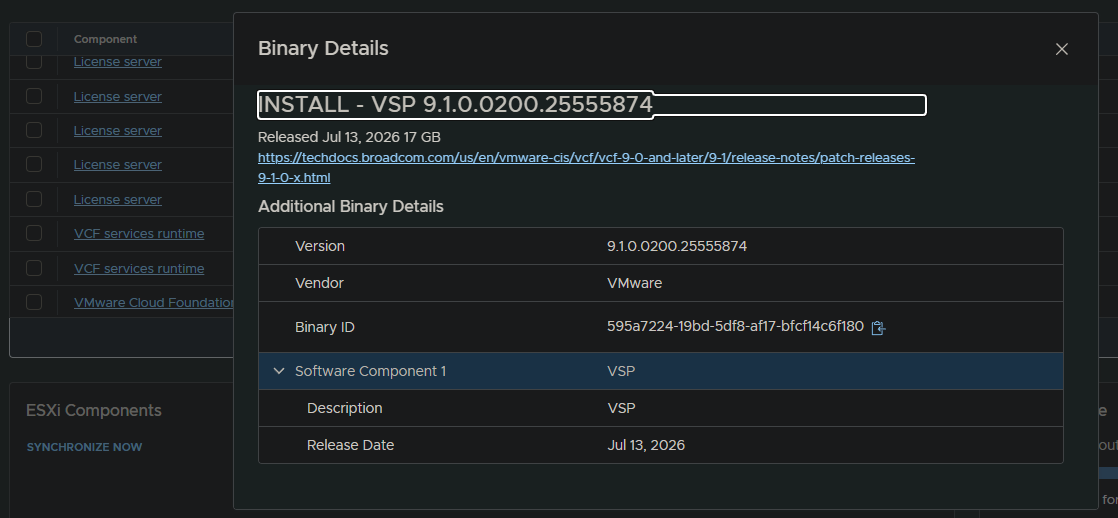

Once downloaded I retried the deployment which then worked. Moral of the story… read the error!
Hope this helps. As always, thanks for reading!