Logo
  • Home
  • Projects
  • Recent Blog Posts
  • About
  • Guests
  • Posts
  • Dark Theme
    Light Theme Dark Theme System Theme
Logo Inverted Logo
  • Posts
Hero Image
vCenter Server Profiles

Whilst beginning preparations to take the VMware Certificated Advanced Professional Deploy exam, I have started to look into the features and topics that I’m not overly familiar with. To help with the learning process, I am going to be deploying and configuring these features, and writing blogs on many of the topics to help cement the information. Hopefully these will be useful for anyone else learning or researching these topics!

  • API
  • PowerCLI
  • vSphere
Tuesday, February 1, 2022 | 6 minutes Read
Hero Image
Auto Connecting Devices to a VMware Workstation VM

As part of my latest homelab setup, I run my vCenter Server VM and Domain Controller VM on VMware Workstation Pro 16 and not on an ESXi host. This is mainly so I don’t have to fire up a noisy rack mount server when I only need my vCenter Server for something. This did leave me with the problem of a lack of physical ports in my Windows PC to be able to bridge my VM’s with, so out came the trusty USB Ethernet adapter!

  • Homelab
Tuesday, January 11, 2022 | 2 minutes Read
Hero Image
Failed to Deploy OVF Package - vSphere Content Libraries

I recently came across an issue with creating subscribed VMware Content Libraries, and deploying templates from a Content Library. An error similar to the one below, would be received when attempting to deploy a VM template or OVF from a Content Library, or an error related to connection issues when setting up a subscribed Content Library. Failed to deploy OVF Package. ThrowablePrxy.cause A general system error occurred: Transfer failed. After some investigation, I came to see that vCenter was attempting to communicate with linked vCenter’s and hosts via the web proxy that was configured in the VAMI, when attempting to deploy an OVF from a Content Library or when trying to synchronise a library.

  • vSphere
Tuesday, January 4, 2022 | 3 minutes Read
Hero Image
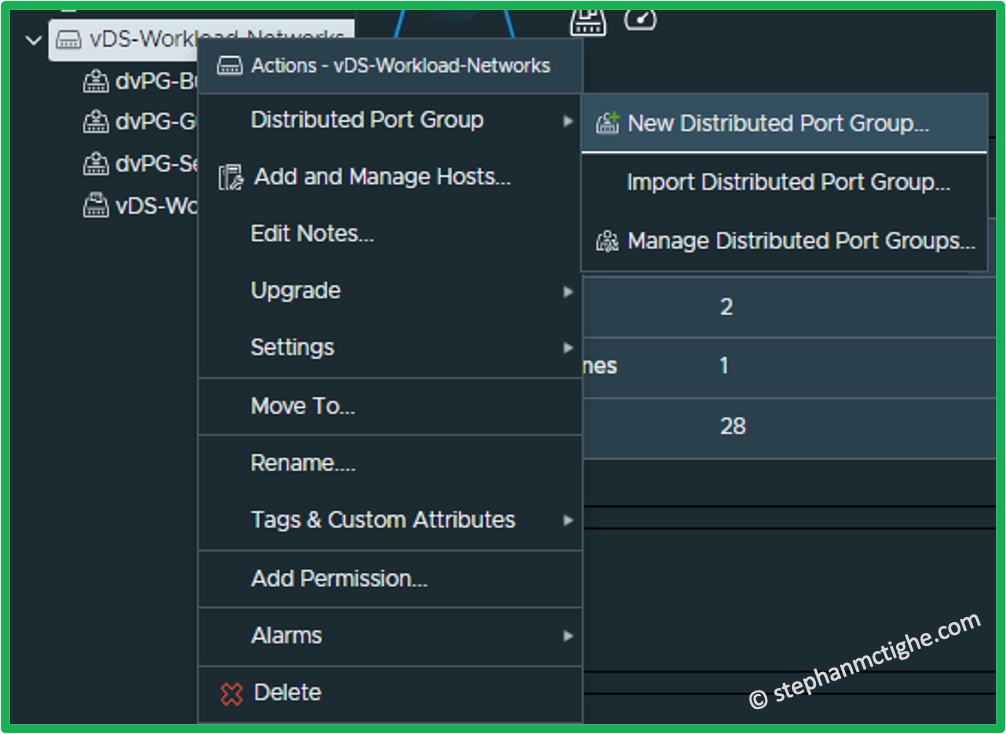
Different Tools; Same Result - vSphere Distributed Port Groups

As technology moves forward, more and more ways to achieve your goal become available. Many people still rely on the good old trusty GUI to achieve their goal, I know I do at times. Is this because it’s quicker, more comfortable or familiar? Or perhaps because they don’t realise there are other options out there!? This blog post will be one of many, where I highlight some of the options available for completing various technical tasks or configurations, in the hope it can provide additional options or tools for consideration.

  • PowerCLI
  • Terraform
  • PowerShell
  • vSphere
Tuesday, November 9, 2021 | 10 minutes Read
Hero Image
NSX-T Manager Certificate Replacement

I decided it was time to add VMware NSX-T to my HomeLab. I had been putting it off for a while but I couldn’t avoid it any longer! Once I had fired up my NSX Manager Nodes and Cluster (I am using version 3.1), I looked to installing certificates. I choose to use a single certificate for all 3 of the NSX managers and the cluster using Subject Alternative Names (SAN’s) to simplify the process and this means I don’t need to renew 4 certificates each time.

  • NSX
  • Homelab
Tuesday, October 12, 2021 | 3 minutes Read
Hero Image
Sessions I'll Be Attending at VMworld 2021

VMworld 2021 is right around the corner! This year we are again unable to attend in person due to COVID-19, however this still gives everyone the chance to attend as its an online event! It is running from the 5th to the 7th October this year - Like many, I have been marking various sessions as favourites in the catalog ready for when they can be booked. Here are a few that are on my list this year.

  • VMworld
Saturday, August 28, 2021 | 6 minutes Read
Hero Image
Enabling VM Rightsizing in vRealize Operations Manager (vROPS)

One of the many great features of vRealize Operations Manager (vROPS) is the ability to identify and address over or under sized virtual machines. I was asked a short while ago why the option to resize a VM was unavailable or ‘greyed out’ as you can see below. This feature is something that you need to a enable for a connection or ‘Cloud Account’. In this instance, this is my connection with vCenter.

  • VMware
  • vROps
Tuesday, August 24, 2021 | 1 minute Read
Hero Image
Getting Started With Packer to Create vSphere Templates – Part 5 – Bringing it Together!

Here we are, Part 5! If you have stuck with me through this series, thank you for taking the time. If not, you can catchup with Parts 1-4 by searching my blog! I wanted to end this series with something different to just text, code and images. So I am going to show you the end to end template deployment process with video’s using user defined variables but with a few environment variables in the Linux example.

  • Packer
  • vSphere
Tuesday, August 3, 2021 | 2 minutes Read
Hero Image
Getting Started With Packer to Create vSphere Templates – Part 4 – Blocks

Welcome to Part 4 of the Packer Series! In this part we will look at putting together all the block and files we need to deploy a template! As we have touched upon in earlier parts, we have multiple blocks and files available to us that can be used to make up a complete configuration. We will walk through a complete Source and Build Block here using user defined variables to complete the build. In the final part of this series, I will use a combination of user and environment variables to give you an idea of how you may use this outside of a lab.

  • Packer
  • vSphere
Wednesday, July 14, 2021 | 6 minutes Read
Hero Image
Getting Started With Packer to Create vSphere Templates – Part 3 – Variables

Welcome back to part 3 of my Creating vSphere Templates using Packer series, if you missed part 1 or 2, you can find them here and here. In part 3 we will explore variables! Why would we use variables? Variables allow you to specify customisations to your templating code without having to edit your actual build files. This can be useful when you are reusing code for multiple templates. There are multiple types of variables that can be used, but we will talk about 2 types of input variables in this blog. They are what I will refer to as; User defined variables and Environment variables. We will talk about both during the blog post and the use cases for each.

  • Packer
  • vSphere
Tuesday, July 6, 2021 | 6 minutes Read
  • ««
  • «
  • 2
  • 3
  • 4
  • 5
  • 6
  • »
  • »»

Liability Notice: All content provided on this blog is for informational purposes only. I make no representations as to the accuracy or completeness of any information on this site or found by following any link on this site. I will not be liable for any errors or omissions in this information nor for the availability of this information. I will not be liable for any losses, injuries, or damages from the display or use of this information. The opinions expressed here are my personal opinions. Content published here is not read or approved in advance by any company mentioned and does not necessarily reflect the views and opinions of those companies nor does it constitute any official communication therein. Always check official documentation hosted by either company for support or verified technical information.


© 2026 Copyright.
Powered by Hugo Logo